r4
limiter/distortion
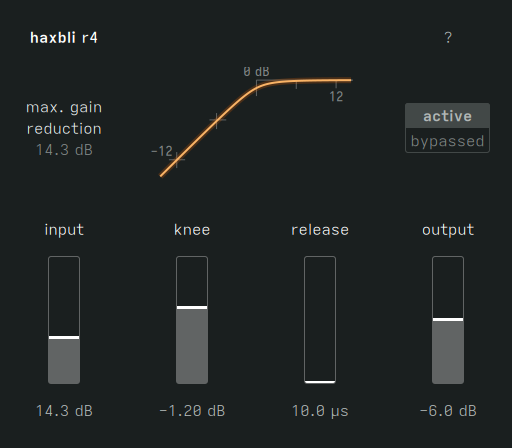
r4 is a limiter, saturator, clipper, and distortion in four sliders. We wrote the original code in 2021. Over the years, we kept reaching for it – a limiter here, a distortion there – and finally realized it was a winner. So we finished it painstakingly for your enjoyment.
add punch to drums
Increase loudness and make transients pop the old-school way with hard clipping mode. Try 6 to 12 dB of gain reduction on kick and snare and tell us it doesn’t bring the noise. Skip the hihats, though.
level an uneven DJ mix
Crossfades getting too loud or too quiet? Even out transitions between tracks with a careful amplitude leveler. Check your waveforms first and figure out how much correction gain you need.
make bass snarl
With up to 40 dB of gain, variable knee curvature, and fast release times that have no business in a sane limiter, r4 is a metropolis of distortion textures: round, nasal, dirty, wooly, sizzling. By all means, twist your bass like it’s 1998 (you’re in good company), but don’t stop there.
it’s not a nicey-nice limiter
It does better on full mixes than pure tones. That’s because of the instantaneous attack that we refuse to change. It’s part of the beast.
do other stuff
We’re sure you’ll find a use we haven’t thought of.
price
$29
Updates are free. Refunds within 30 days of sale.
compatibility
guide
How to install and use r4.